
Panes
You can split any editor pane horizontally or vertically by using Ctrl+K Cmd+K Up/Down/Left/Right where the direction key is the direction to split the pane. Once you have a split pane, you can switch between them with Ctrl-K Ctrl+Up/Down/Left/Right Cmd+K Cmd+Up/Down/Left/Right where the direction is the direction the focus should move to. These correspond to a number of commands that begin with Pane: and can be found in the command palette.
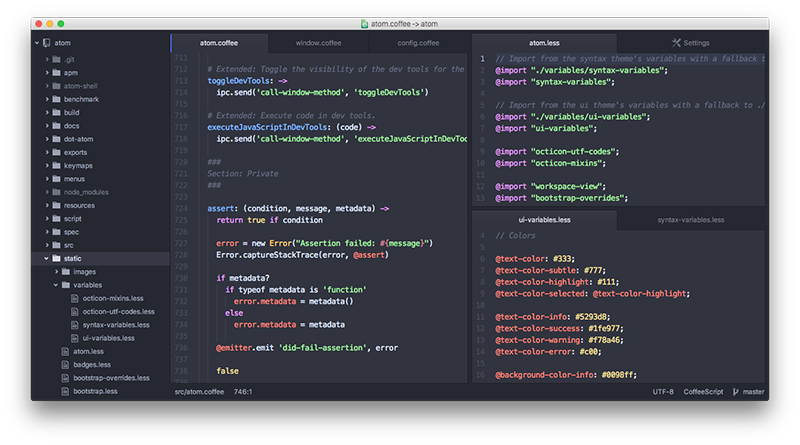
Each pane has its own “pane items,” and Pulsar represents them as tabs by default. You can move the files from pane to pane by dragging them with the mouse and dropping them in the pane you want that file to be in.
To close a pane, you can close all pane items with Ctrl+W Cmd+W (the Core: Close command). You can configure whether panes auto-close when empty in the Settings View with the Remove Empty Panes setting in the Core pane of the settings view.
Pending panes
When you open a new file by single-clicking in the tree view, the file will open in a new pane whose tab has an italic title. This indicates that the file is pending.
When a pane is pending, it will be replaced by the next pending pane that is opened. This allows you to (for example) click through a bunch of files to find something without having to go back and close them all.
You can “promote” a pending pane to an ordinary pane in several ways:
- double-clicking the pane’s tab
- double-clicking the file in the tree view (instead of single-clicking)
- editing the contents of the file
- saving the file
If you double-click a file in the tree view while it’s already open as a pending pane, it will also promote itself to an ordinary pane.
Disabling pending panes
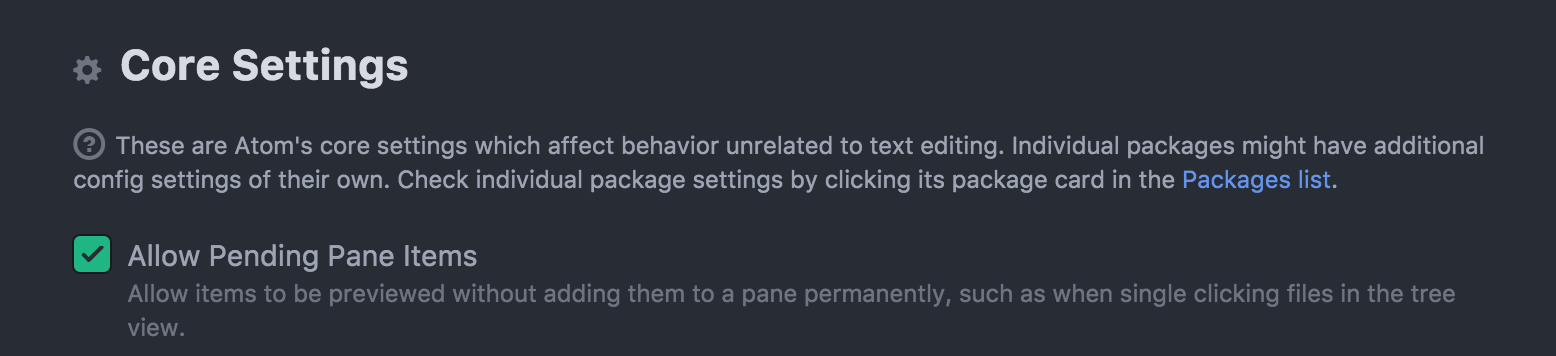
If you would prefer to not have files open in pending form, you can disable this behavior by unchecking Allow Pending Pane Items in the Core Settings section of the settings view.
With pending pane items disabled, single-clicking a file in the tree view will select the file but not open it. You will have to double-click the file to open it.
Panes are a core feature.