
Spell check
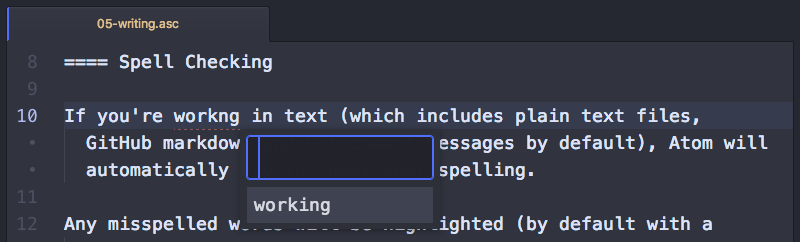
If you’re working in text (which includes plain text files, GitHub markdown, and Git commit messages by default), Pulsar will automatically try to check your spelling.
Any misspelled words will be highlighted (by default with a dashed red line beneath the word), and you can pull up a menu of possible corrections by hitting Ctrl+Shift+; Cmd+Shift+;.
Spell-checking is implemented in the spell-check package. You can visit this package’s settings page to customize the list of grammars for which spell check is enabled, add exclusions and known words — or to disable the package entirely.
The default grammars to spell check are text.plain, source.gfm, text.git-commit, source.asciidoc, source.rst, and text.restructuredtext — but you can add any other grammars for other file types you wish to check.
You can also add arbitrary scopes within documents that should be spell-checked. For instance: you can add source comment as a scope if all comments within all sorts of source files should be spell-checked.